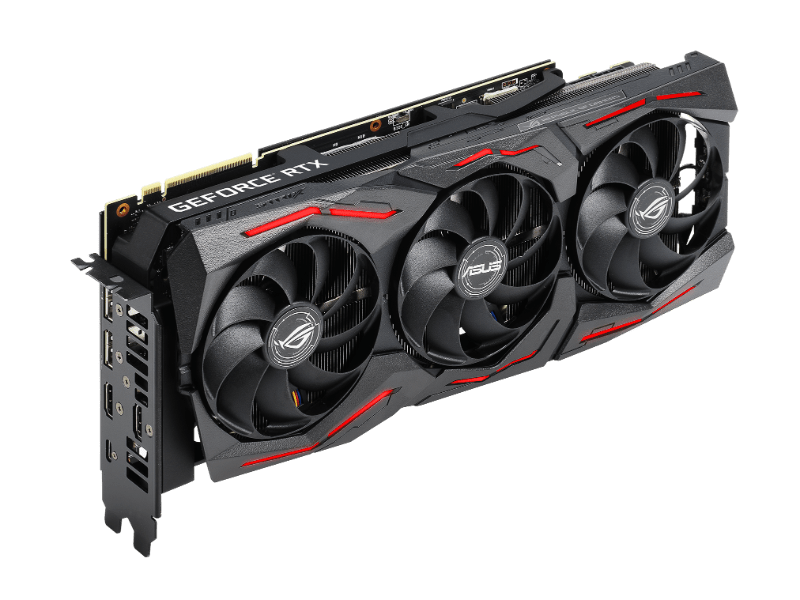
The card was sold as “PC won’t turn on with the GPU installed.”
Once it arrived, there was a very strong burnt smell coming from the PCB, which usually means the problem is not going to be small.
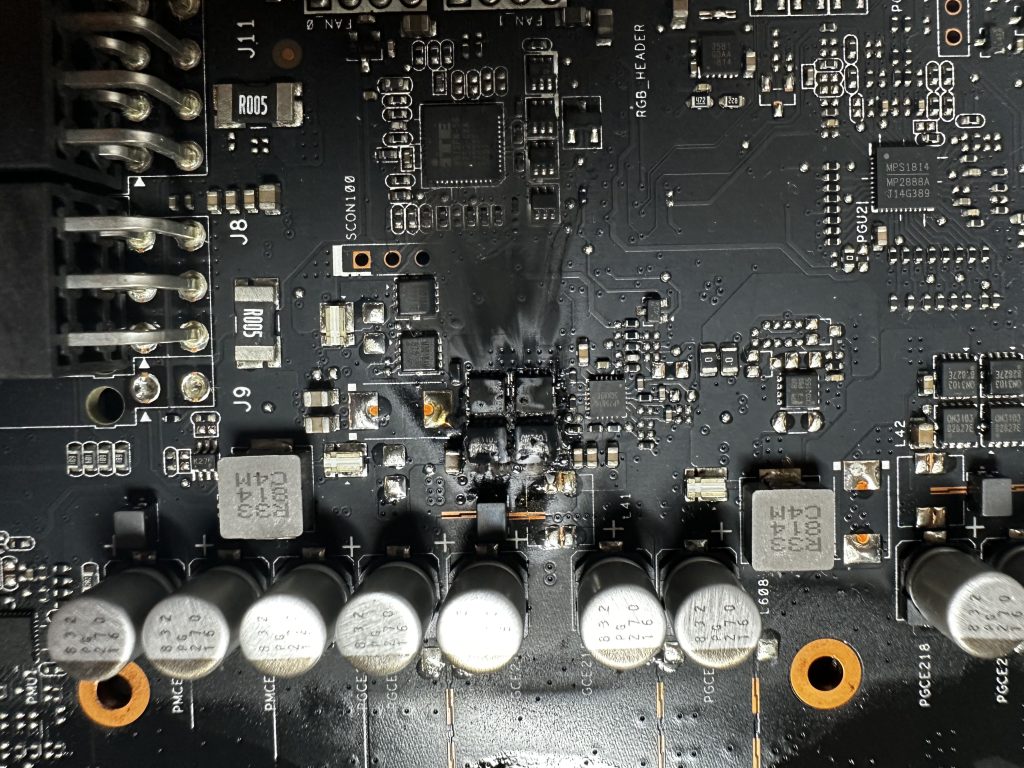
After removing the cooler, it became immediately obvious where at least part of the issue originated from — two high-side MOSFETs in the VRM section had catastrophically failed, leaving visible charring around the surrounding PCB layers.
Initial fault theories
My first assumptions were:
- direct short on the 12V rail,
- short on the PCIe 3.3V rail,
- or damaged VRM driver circuitry caused by the VRM failure.
First inspection
The overall condition of the card was rough:
- bent heatsink,
- heavy dust buildup,
- signs of previous impact or improper handling.
Once the cooler and fans were removed, the failed VRM section became fully visible. Two high-side MOSFETs had exploded hard enough to carbonize multiple PCB layers around them.
Initial measurements
Before removing anything, I checked all major rails against ground.
Results:
- 12V → GND : 0Ω
- VCORE → GND : near-short resistance (~10mΩ range)
- Other measurable rails : no obvious shorts to ground
At this point the card was effectively behaving like a dead short.
Removing destroyed MOSFETs
Initially I attempted removal using hot air alone, but quickly realized it was mostly useless. The MOSFET packages were partially fused into the damaged PCB area.
Some fragments could be removed with tweezers, but the remaining material had to be carefully ground away using a Dremel and a very steady hand.
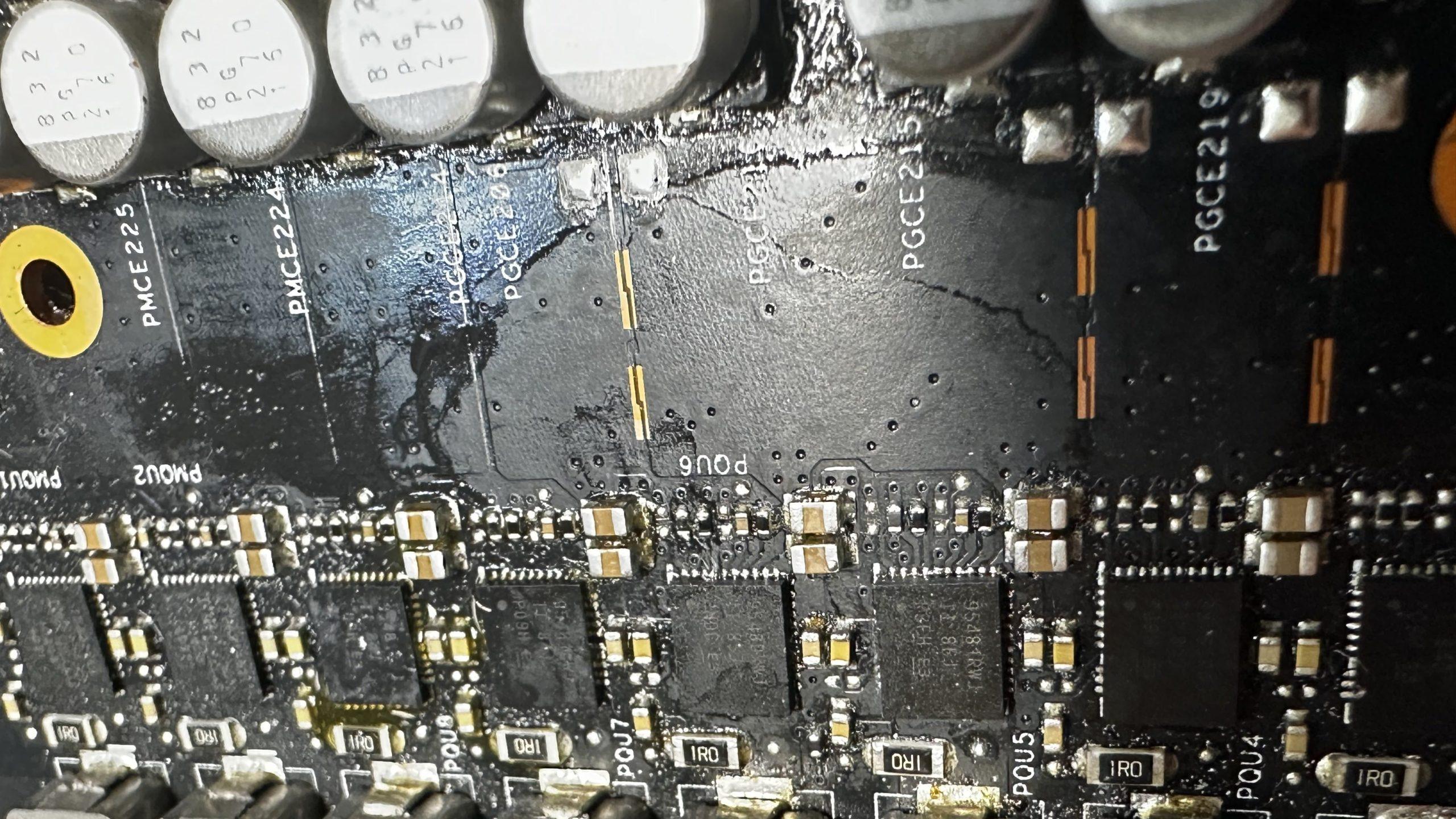
Thankfully the damage only penetrated roughly two PCB layers.
PCB cleanup and reconstruction
After sanding through the carbonized layers, I eventually reached the ground plane underneath the damaged area.
At this stage:
- the burnt conductive material had to be fully removed,
- exposed copper needed insulation again,
- and damaged traces had to be reconstructed manually.
I used:
- UV resin for insulation,
- 0.05 mm copper wire for trace repair,
- and continuity measurements to verify connections.
Fortunately, most traces leading to the MOSFET area were still recoverable.
After reconstruction, the main short was still present — but now isolated only to two VRM phases, which was actually good news.
Finding the remaining short
Since I do not own a milliohm meter, I decided to use voltage injection combined with freeze spray.
This quickly pointed towards the driver circuitry of the affected VRM phases.
Once the affected drivers were removed using hot air, the previously observed short condition disappeared.
At that point replacement MOSFETs and drivers were ordered.
Driver and MOSFET replacement
Replacing the drivers was relatively straightforward since the surrounding PCB area remained intact.
The MOSFET section was significantly more difficult due to destroyed pads and damaged layers.
I had already run out of repair pads at this point, so improvisation became necessary.
To rebuild the drain connection, I cut a small piece of solder wick and used it as a replacement pad structure connecting both MOSFET drains.
The final challenge was reconstructing one missing source connection.
Using a boardview for the card, I located a nearby resistor pad connected to the same net and rebuilt the connection manually using copper wire before encapsulating everything with UV resin.
First power-on
Final resistance measurements looked correct, so the card was installed into a test rig.
For the first time:
- the PC powered on normally,
- display output appeared immediately,
- and the GPU initialized successfully.
I was impatient enough to skip VRAM testing entirely and immediately moved to stress testing.
Fortunately, the card survived my impatience.
Stress testing and final assembly
The GPU passed extended stress testing without instability or thermal issues.
After confirming stability:
- thermal pads were replaced,
- fresh thermal paste was applied,
- and the card was fully reassembled.
The GPU was later moved into my main rig for long-term testing.
One year later
The card is still running without issues after roughly one year of heavy use.
Temperatures remain excellent, with peak temperatures around 65°C under load.
Lessons learned
- Not every burnt PCB is beyond repair
- Carbonized PCB material can remain electrically conductive
- PCB trace reconstruction requires patience more than speed
- Voltage injection and freeze spray are incredibly effective together
- Boardviews become extremely valuable once original pads disappear
- Sometimes improvisation is unavoidable during advanced repair work
Most importantly:
- severe-looking damage does not always mean impossible damage.